Online community platforms: which one should your brand choose? (2026 comparison)
Facebook, Discord, Circle, Skool or a forum on your store: our 2026 comparison of online community platforms to pick the right one for your brand.
An online community platform is where your customers meet to talk to each other. Choosing one decides three things: who owns the conversations, how closely the community is tied to your store, and how much time you will spend running it. Here are the options, from social networks to dedicated community software, their strengths and limits, and the solution we built for Shopify brands.
What is an online community platform?
An online community platform is an online tool that lets a group of people post, reply and gather around a shared interest. For a brand, it is the space where customers talk to each other, ask their questions and share their experiences.
Community platforms fall into three families: social networks and messaging apps, which your customers already use; dedicated community software, such as Circle or Discourse; and forums built into your own website. If you are starting from scratch, our guide to community marketing explains what a community can do for an e-commerce brand.
How to choose the right community platform
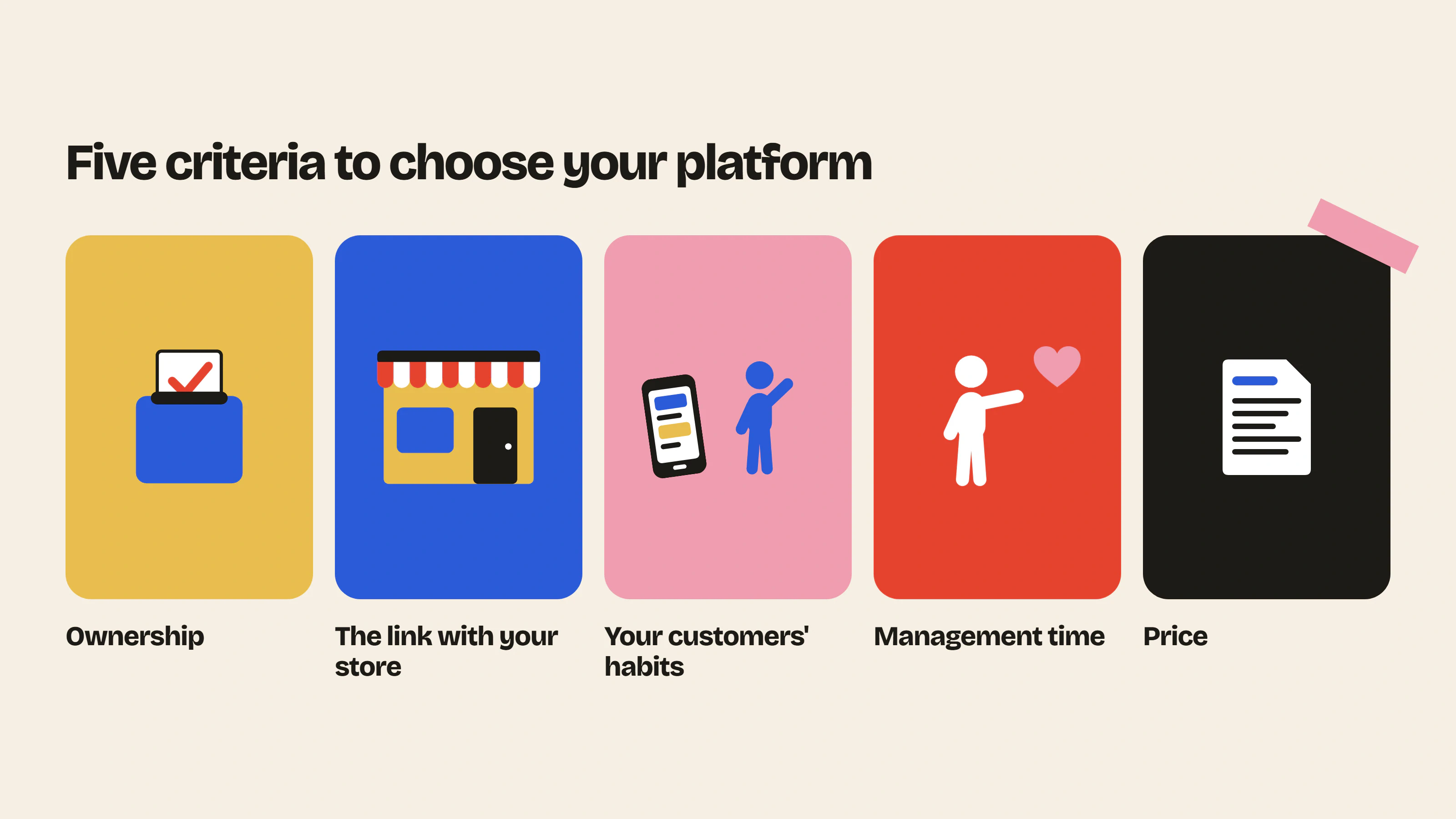
Before comparing tools, decide what matters to you.
- Ownership: who owns the conversations and the data if the platform changes its rules?
- The link with your store: are members one click away from your products?
- Your customers’ habits: do they already use the tool, or will they need a new account?
- Management time: what moderation and engagement tools are available?
- Price: free, a fixed subscription, or a price that climbs with the number of members?
Also keep in mind the features you actually need. Online courses, paid events and memberships are the strength of some platforms, but they are of little use to a brand that sells products.
Social networks and messaging apps
The Facebook group
It is the historical choice for many brands. It is free and many customers already have an account. However, the reach of each post depends on the algorithm, and the conversations live on Meta’s servers, not on your site. Meta offers no tool to export a group’s discussions: Download Your Information only covers your own account. If Facebook changes its rules or closes your group, you lose the history.
Discord
Discord works well for young audiences and gaming-adjacent brands. Conversations are fast and real-time, with voice channels and live events. But a useful answer quickly gets buried in the flow of messages, and members are Discord accounts with no link to your orders. We cover its strengths and limits in our article on Discord marketing for e-commerce brands.
WhatsApp and Telegram
These messaging apps are very easy to use and create a real sense of closeness. WhatsApp Communities group several topic groups and an announcement group, with up to 2,000 members (WhatsApp Help Center). They remain built for conversation: beyond a few dozen active members, topics get mixed up and last week’s answer becomes impossible to find.
Dedicated community platforms
Dedicated community software offers complete spaces, often with courses, events and paid memberships. It suits trainers, creators and companies that sell knowledge. For an online store, these platforms share two limits: the community lives on another site than yours, and your customers have to create a new account. Here are the five best known (prices taken from their websites on October 29, 2026, in US dollars, excluding tax).
Circle
Circle combines discussions, courses, live events and paid memberships. It mainly targets creators and digital entrepreneurs who sell knowledge or a subscription. The first paid plan, Professional, costs $89 per month billed annually, after a 14-day free trial; there is no free plan. Circle has no Shopify integration: you connect the two through Zapier (Circle pricing).
Skool
Skool offers free or paid communities with courses, videos and live calls. It targets creators, experts and enthusiasts who want to earn an income from their community. The Hobby plan costs $9 per month plus a 10% fee on each sale, and the Pro plan $99 per month plus 2.9%; there is a 14-day free trial and no free plan (Skool pricing). Connections to other tools go through Zapier, on the Pro plan.
Mighty Networks
Mighty Networks brings together community, courses, events and paid memberships, with an AI assistant to help you build your space. Mostly used by creators and coaches, it also targets brands that engage their customers or ambassadors. The Launch plan starts at $79 per month, or $950 per year, after a 14-day free trial (Mighty Networks pricing). There is no Shopify integration: a navigation link can only send members to your store.
Discourse
Discourse is open source forum software, used by more than 22,000 communities according to its publisher, often for customer support and developer communities. It is free if you host it yourself, which takes a server and technical skills. Official hosting includes a free plan limited to 2 staff seats and 500,000 page views per month, then a Pro plan at $100 per month (Discourse pricing). There is no official Shopify integration: you have to use the API or custom development.
Bettermode
Bettermode is a no-code platform for launching a branded customer community: discussions, a feed, events, a knowledge base and feature requests. It mainly targets marketing and customer success teams, especially at software companies. The Starter plan starts at $149 per month billed annually, after a 14-day trial (Bettermode pricing). No Shopify integration is mentioned, but it connects through Zapier.
What the five have in common: none lists a native Shopify integration on its website. Your customers get an account that is separate from their customer account, and the community does not know what they bought.
Forums built into your Shopify store
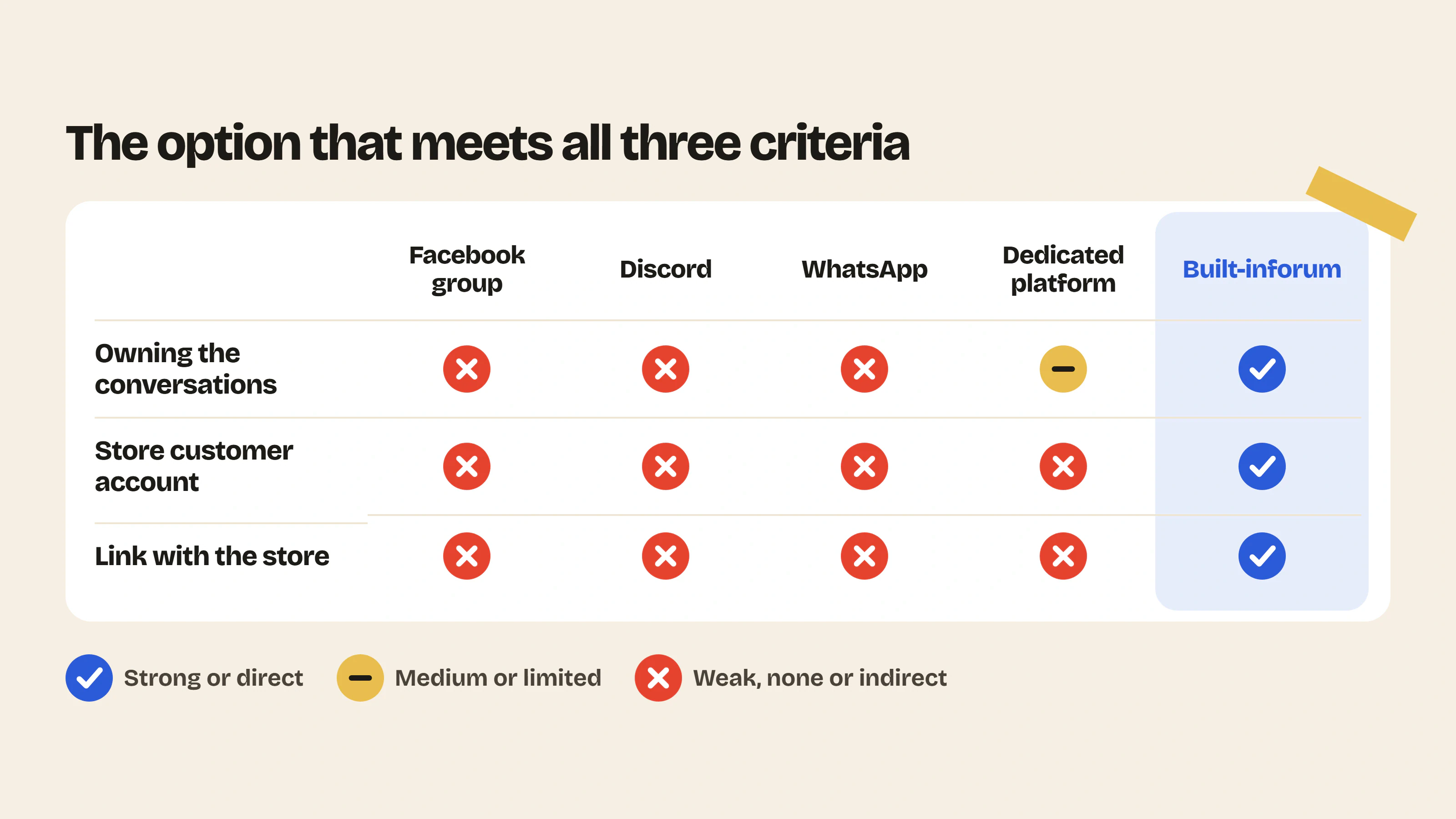
The community lives directly on your site, in your colors. Customers log in with their usual account, conversations stay on your store and products are one click away. It is the option that combines ownership of the conversations with a direct link to your sales. On the other hand, you need to build the habit of coming to your site, while your customers are already on social media. We explain what it changes day to day in why add a forum to your Shopify store.
Several apps on the Shopify App Store add a forum to a store, with very different approaches. We compared them in our selection of the best Shopify forum apps. To see what a community would look like on your own store, try our free Shopify community simulator, no sign-up needed.
Community platforms compared
| Criterion | Facebook group | Discord | Dedicated platform | Built-in forum | |
|---|---|---|---|---|---|
| Where conversations live | On Facebook | On Discord | In the messaging app | On the vendor’s site | On your store |
| Link with your store | Indirect | Indirect | Indirect | Separate | Direct |
| Account needed | Facebook account | Discord account | Phone number | New account | Existing Shopify customer account |
| How conversations are organized | Group feed and topics | Channels and threads | Chat thread | Spaces, courses and events | Categories and topics |
| Price | Free | Free | Free | $9 to $149 per month for the first paid plan | Free plan, then a subscription |
| Best for | An entry point | A young, real-time audience | A small, close-knit group | Courses and creators | Brands that sell products |
Insider Club, the forum built for Shopify stores
An important note: Insider Club is our app. We built it because none of the options above fully met the needs of e-commerce brands.
A forum that reflects your brand
The forum fits into your Shopify theme. You customize the logo, banner, colors, fonts and rounded corners yourself. Your customers never leave your world, and your community looks like your brand, not like generic software.
Customers become members in one click
Customers logged in to their Shopify account automatically become members, with no new password or sign-up form. Other visitors simply create a customer account, just as they would to place an order.
Public and private spaces
Each category can be public or private, or reserved for certain roles, and the whole forum can be password-protected. You open peer support to everyone and create a VIP space for your best customers in the same place.
Moderation and engagement
Spam detection, a banned-word list, member reports and bans keep you in control. To keep conversations going: polls, subcategories, product cards, and photos and video links in posts. Analytics and email alerts show you active members and what needs your attention. To estimate how much time peer support could save your team, use our customer support savings calculator.
Insider Club has a free plan and a paid plan with a 14-day trial: see the details on our pricing page.
Which community platform for which brand?
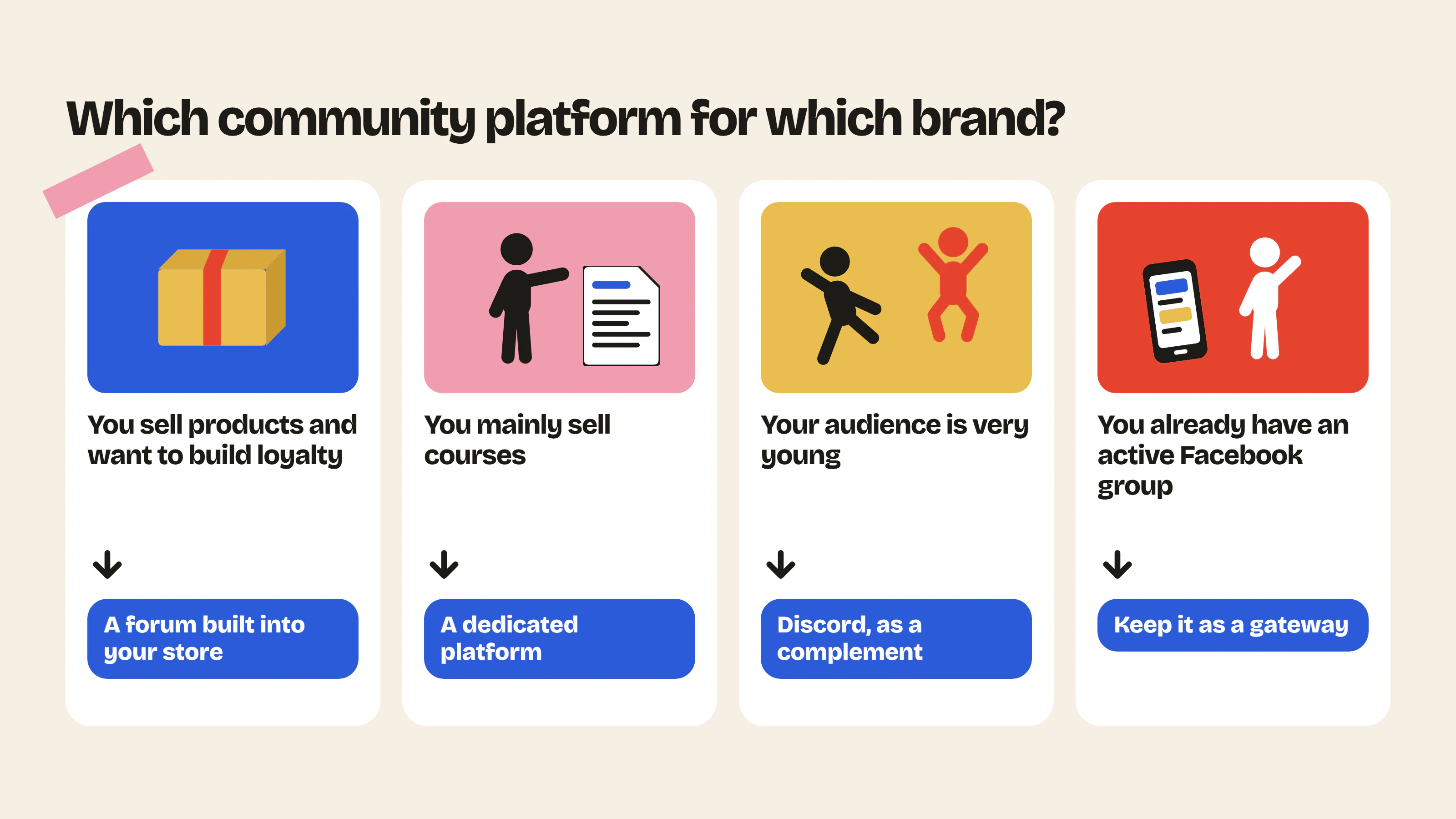
- You sell products and want to retain customers: a forum built into your store, like Insider Club, offers the best balance between owning the conversations and driving sales.
- You mainly sell courses: a dedicated platform such as Circle, Skool or Mighty Networks can work, as long as you accept that it lives outside your site.
- You run a community of employees, partners or alumni: a dedicated platform or Discourse, with its advanced forum features.
- Your audience is very young and used to real time: Discord can complement a main space on your store.
- You already have an active Facebook group: keep it as an entry point and bring in-depth discussions back to your site. Our Shopify forum vs Facebook group vs Discord page compares the three in detail.
Once you have chosen a platform, the hard part is still ahead: giving customers a reason to come back. Our 5 types of content that keep an e-commerce community alive will carry you through the first weeks.
FAQ
What is the best platform to build a community?
It depends on your goal. For an e-commerce store, a forum built into your site gives you ownership of the conversations and a direct link to your products. To sell courses, a dedicated platform is a better fit.
Is there a free community platform?
Yes. A Facebook group, a Discord server or a WhatsApp community are free, but the conversations live on their platforms. Discourse is free if you host it yourself, and its official hosting has a limited free plan. Insider Club also has a free plan, with unlimited members and posts, to launch a forum on your Shopify store.
Can I use several platforms?
Yes. Social networks can serve as an entry point and your site as the main place. What matters is making it clear where the answers that need to last can be found.
Can I build my own community platform?
Yes, in two ways. You can install open source software such as Discourse on your own server, which takes technical skills and hosting. Or you can add a forum to your existing site: on Shopify, an app is enough, with no development.
Build your community on your store
Insider Club adds a forum in your colors to your Shopify store, where your customers are automatically members and every discussion stays useful to the next customers. See the features or view pricing.
- Community previewPaste your store URL and see what your forum would look like, with your colors and your products.Use the tool – Community preview
- Customer support cost savings calculatorThe hours and dollars saved when your community answers your customers' repetitive questions.Use the tool – Customer support cost savings calculator



 Install on Shopify