Why add a forum to your Shopify store
An embedded forum turns customers into a community, cuts support tickets and keeps your customers' answers on your store. Here is what it changes in practice.
Most e-commerce brands run their community on Instagram or in a Facebook group. It works, until the day the algorithm changes, reach can drop, and everything your customers wrote stays locked on a platform you do not own.
A forum on your own store solves this at the root.
Your customers already have things to say to each other
Look at your support inbox: a good share of the questions repeat. “Which size should I pick?”, “Does it work with…?”, “How do I care for…?”. In a forum, these questions are asked once, another customer answers, and the answer stays visible for everyone who comes next.
The result: fewer tickets for you, and more credible answers for your prospects, because they come from other buyers.
Answers that stay on your store
Every discussion stays on your store, with words you would never have thought of writing yourself. Customers phrase their questions in their own terms, and that is exactly what the next ones type into the forum’s search bar.
A store with 200 active discussions has 200 pages of original content without writing a single line.

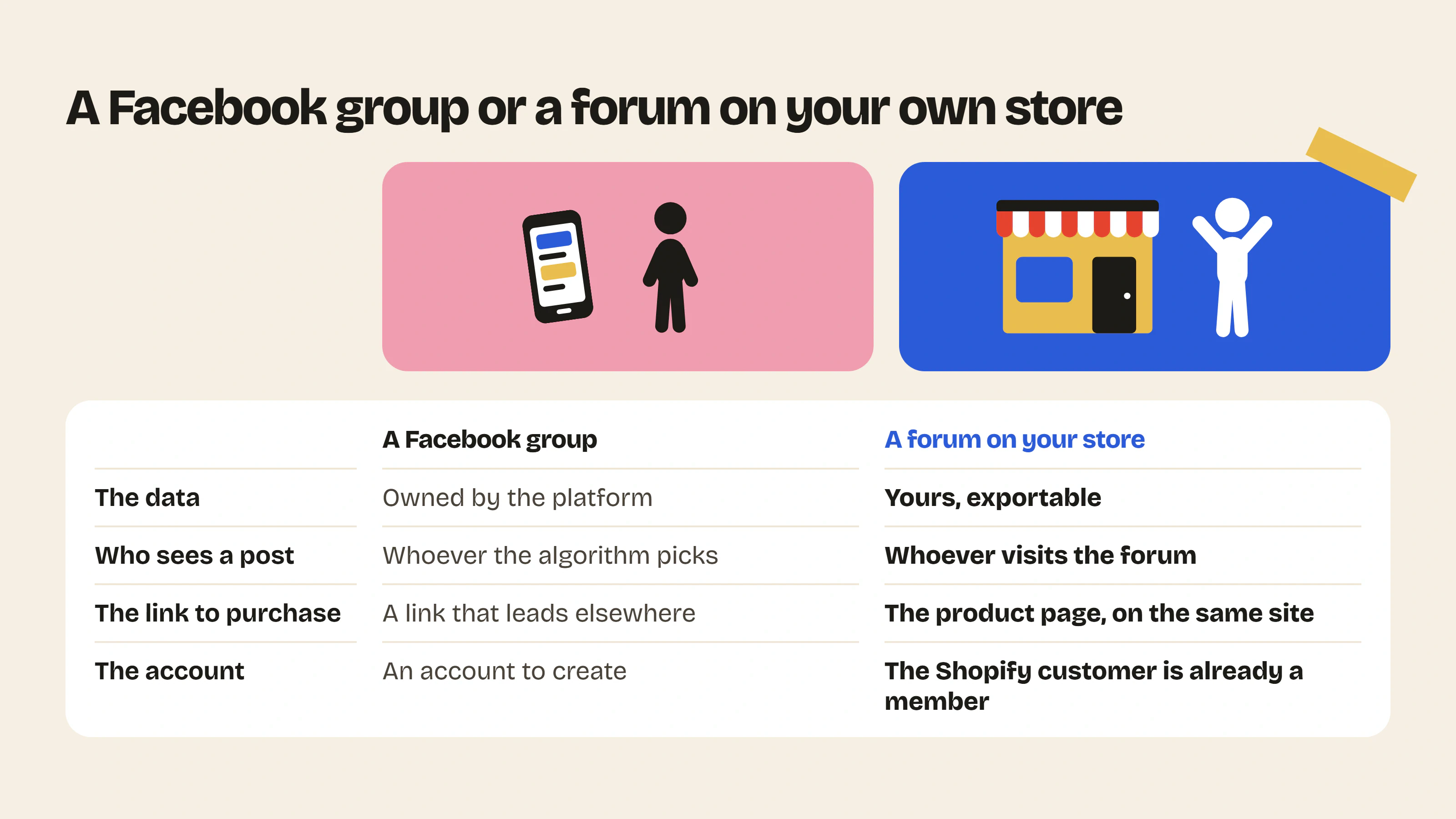
What makes the difference with a Facebook group
- You own the data. It lives on your store, not on a third-party platform.
- No algorithm. A post is seen by whoever visits the forum, full stop.
- The link to purchase is direct. A discussion about a product links to its page, on the same site.
- No account to create. A customer logged into their Shopify store is already a member.
Discord and dedicated platforms raise the same questions: we compare them in which online community platform to choose and in Discord marketing for e-commerce brands.
Where to start
Three categories are enough at launch: one for help, one for photos and experiences, one for your announcements. Invite your most loyal customers by email first, publish the first topics yourself, and let the conversation start.
Further reading: User-generated content: an underrated SEO lever, Shopify forum vs Facebook group vs Discord and all the forum features.
- Community previewPaste your store URL and see what your forum would look like, with your colors and your products.Use the tool – Community preview
- Launch post generatorTen ready-to-publish first posts to launch your forum: title, text, category and format.Use the tool – Launch post generator



 Install on Shopify